
Photobooth mini FULL
medtourePhotography
4.0212.00 Reviews
- Version
- 432
- Installs
- 10.00K
- Age Rating
- Everyone
Screenshots
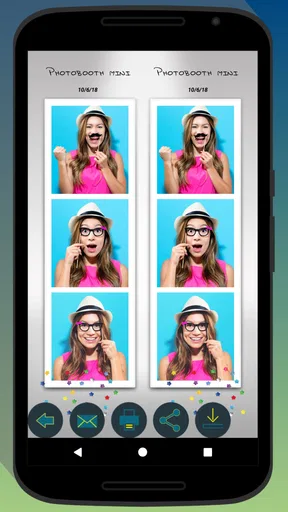
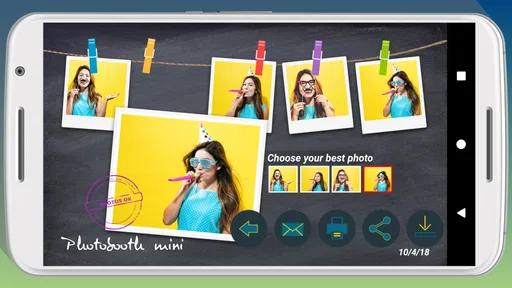
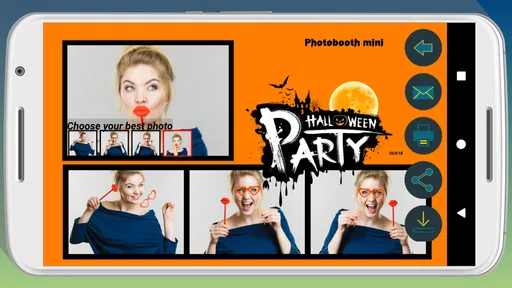
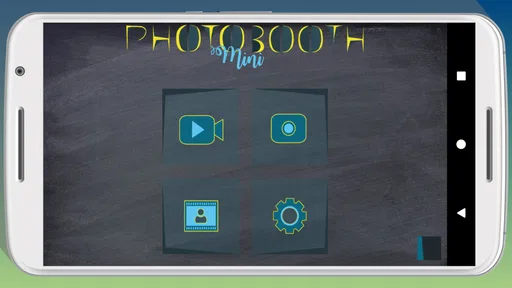
Our Review of Photobooth mini FULL
 Analysis by Appyee
If you’re on the hunt for a fun and creative way to capture memories, look no further than Photobooth mini FULL. This app is like having a portable photo booth right in your pocket, and believe me, it’s a game-changer for any party or gathering!
Getting Started with Photobooth mini FULL
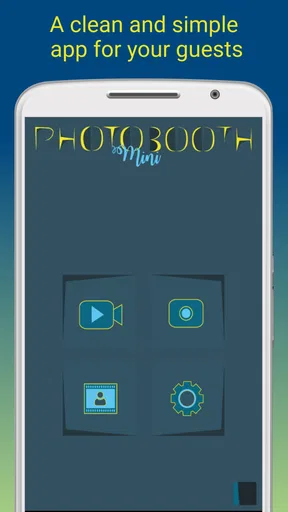
First things first, let’s talk about how easy it is to get started. Once you download Photobooth mini FULL from the app store, you’re greeted with a user-friendly interface that’s as welcoming as a warm cup of coffee on a chilly day. Setting up the app is a breeze, and before you know it, you’re ready to start snapping those unforgettable moments.
The app’s design is intuitive, so you won’t find yourself scratching your head trying to figure out what to do next. Everything is laid out clearly, with icons and options that make navigating through the app a piece of cake.
Features That Make It Stand Out
What really makes Photobooth mini FULL shine are its unique features. First up, the app offers a variety of filters and effects that are just plain fun to play with. Want to add a retro vibe or a splash of color to your photos? You got it! The filters are easy to apply, and you can switch them up with just a tap.
Another cool feature is the ability to create GIFs. Yes, you heard that right—GIFs! This adds a whole new dimension to capturing moments, and it’s perfect for creating those hilarious, animated snippets that everyone loves to share.
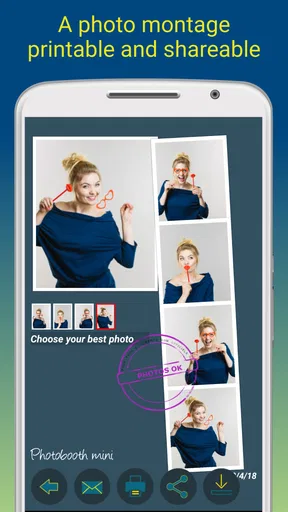
Plus, the app supports a variety of print sizes, so whether you’re looking to print a classic 4x6 or something a bit more unique, Photobooth mini FULL has you covered. It even lets you print directly from the app, which is super convenient.
Perfect for Any Occasion
This app isn’t just for personal use. It’s ideal for events like birthdays, weddings, or any gathering where you want to capture the energy and fun of the moment. You can set up a DIY photo booth with just your phone or tablet, and let guests unleash their creativity.
The app also allows for easy sharing on social media, so your friends and family can enjoy the photos in real-time. Just a couple of taps, and your snapshots are ready to make their debut online.
Some Handy Tips
If you’re planning to use the app at an event, here are a few tips to get the most out of it:
- Ensure your device is fully charged or have a power bank handy. You don’t want to miss out on capturing those precious moments!
- Experiment with different lighting conditions before the event to see how the filters and effects look in various settings.
- Encourage guests to use the GIF feature—it’s a guaranteed hit!
Wrapping Up
All in all, Photobooth mini FULL is a delightful app that brings a lot of joy to any occasion. Its ease of use, coupled with a range of fun features, makes it a must-have for anyone looking to add a little extra flair to their photo-taking experience. So, go ahead, give it a whirl, and watch as it turns ordinary moments into extraordinary memories!
Verdict
Strengths of Photobooth mini FULL
- Intuitive and user-friendly interface.
- Wide range of filters and effects.
- Supports instant social sharing.
- High-quality photo output.
- Customizable photo layouts.
Limitations of Photobooth mini FULL
- Lacks advanced editing tools.
- Limited free version features.
- Some filters may require purchase.
- Occasional app crashes reported.
- Ads can be intrusive at times.
Similar Picks in This Category
View All
Google Photos
Google LLC4.4

Gallery
Google LLC4.2

Picsart AI Photo Editor, Video
PicsArt, Inc.3.9

B612 AI Photo&Video Editor
SNOW Corporation4.1

BeautyPlus-Selfie Photo Editor
PIXOCIAL TECHNOLOGY (SINGAPORE) PTE. LTD.4.5

Remini - AI Photo Enhancer
Bending Spoons4.1
Frequently Asked Questions
What features does Photobooth mini FULL offer for photo editing?
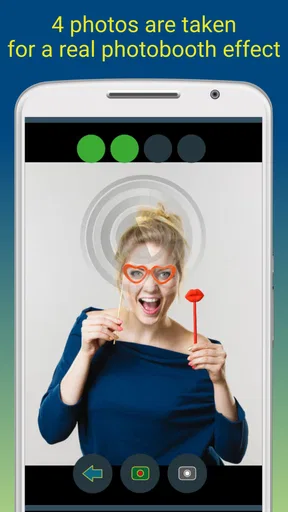
Photobooth mini FULL provides a variety of features for editing your photos, including filters, frames, and customizable layouts. Users can create GIFs, apply real-time effects, and use a multi-photo mode to capture a series of images. The app also supports printing and sharing directly from your device.
Is Photobooth mini FULL user-friendly for beginners?
Yes, Photobooth mini FULL is designed with a user-friendly interface that caters to both beginners and experienced users. The app features intuitive controls and simple navigation, making it easy for anyone to capture and edit photos effortlessly without needing prior experience.
Can I use Photobooth mini FULL offline?
Photobooth mini FULL allows users to capture and edit photos offline. However, certain features like sharing photos directly to social media platforms or cloud storage will require an internet connection. This offline capability ensures you can enjoy the app’s core features without needing to be connected.
What devices are compatible with Photobooth mini FULL?
Photobooth mini FULL is compatible with both Android and iOS devices. It supports a wide range of smartphones and tablets, ensuring that users can enjoy its features across different platforms. Always check the app’s system requirements to ensure compatibility with your specific device model.
Are there any in-app purchases or ads in Photobooth mini FULL?
Photobooth mini FULL is a paid application, which means it typically does not include ads that can disrupt your experience. Once purchased, users can access all features without encountering in-app purchases, providing a seamless and uninterrupted photo editing experience.
